
 Built by usFree and open source
Sahifa PDF Read, comment, fill, sign, edit, organize, protect and compress PDFs.
A free PDF reader and editor that works offline, for Windows and Mac. Everything happens on your own computer: no account, no subscription, and your files are never uploaded.

01 · What it does
Everything you do with a PDF, in one window.
The same tool sets as the rail down the side of the app, from a Home screen with every tool one click away. Undo and redo cover every change.
-
01Read
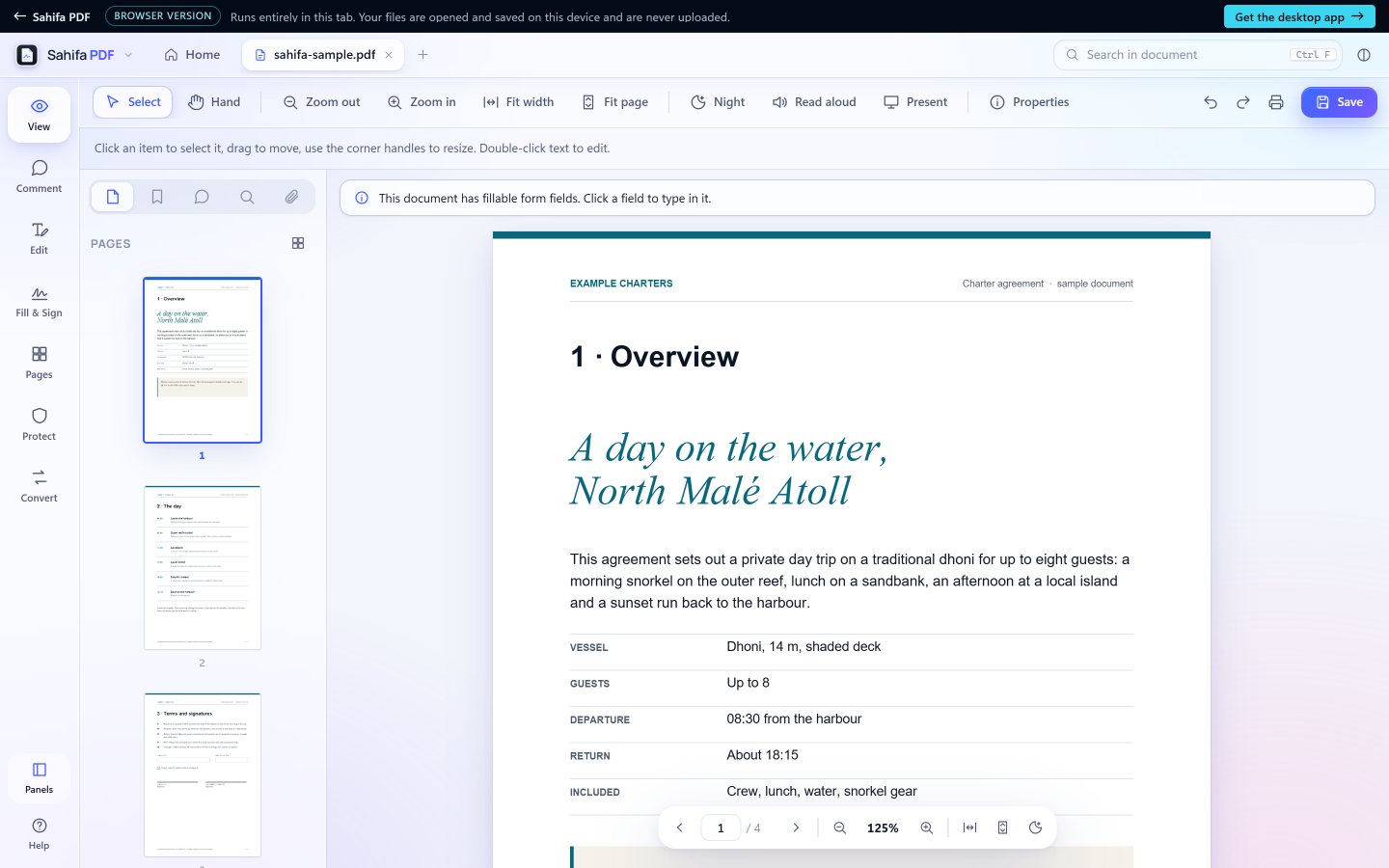
Page thumbnails, bookmarks, search across the document, zoom and fit, a night reading mode, read aloud and a full-screen presentation mode. Open several PDFs at once, each in its own tab, and print.
-
02Comment
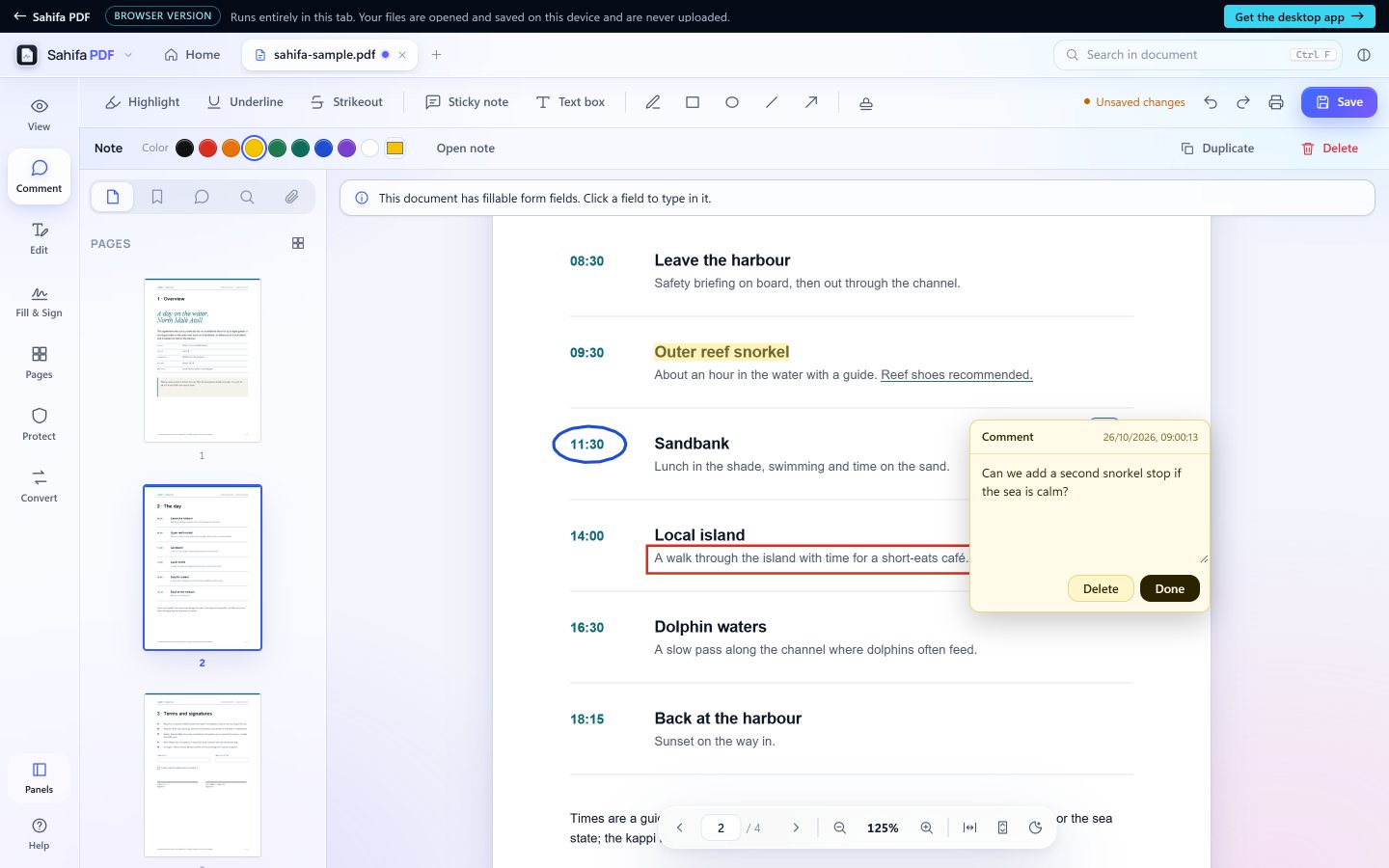
Highlight, underline and strike out text. Add sticky notes and text boxes, draw with a pen, rectangles, ellipses, lines and arrows, and stamp a page Approved, Paid or Confidential. The sidebar lists every comment.
-
03Edit
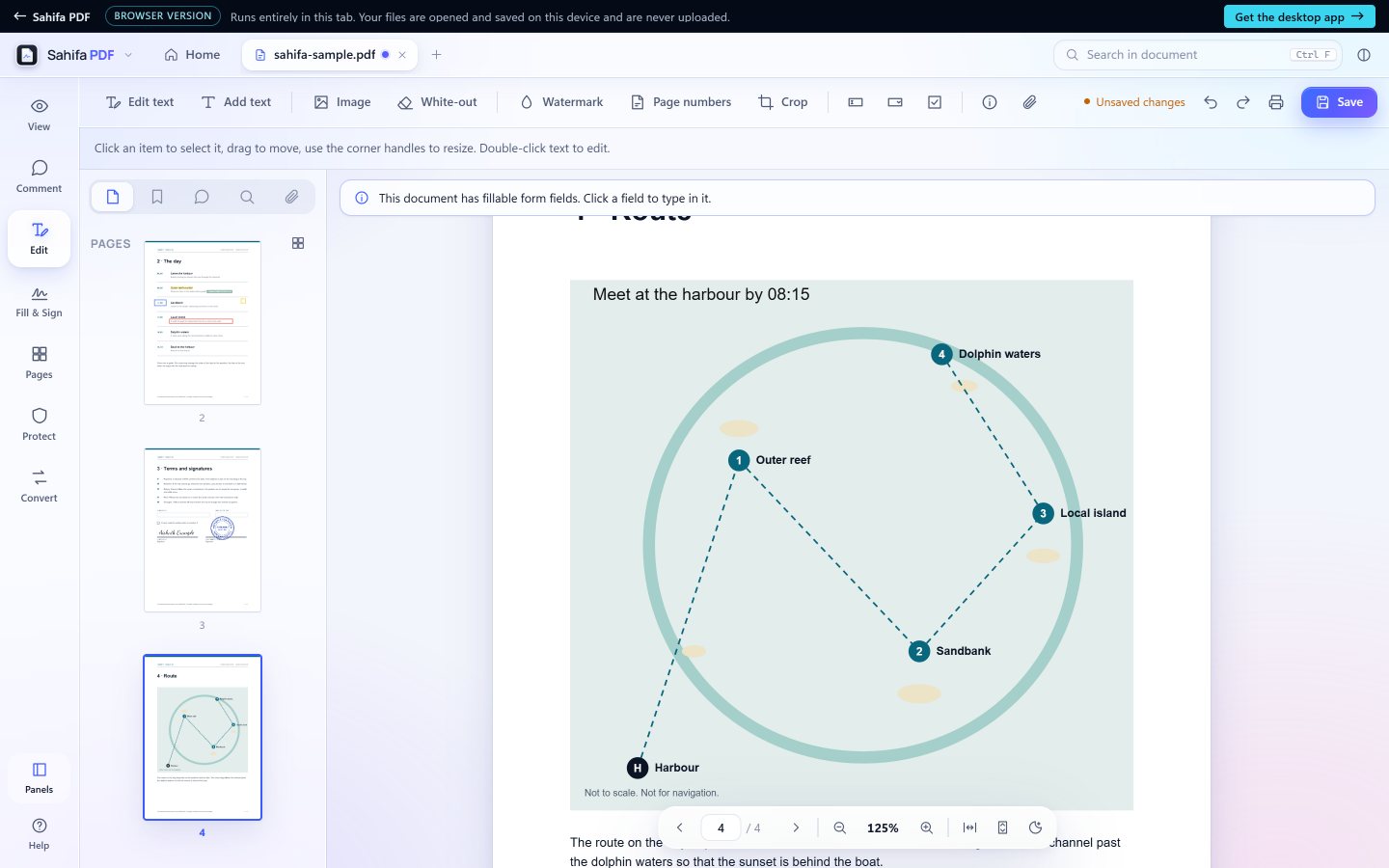
Change existing text, add text and images, white out what should not show, and add watermarks, page numbers, headers and footers. Crop pages, add form fields, attach files and set the title and author.
-
04Fill and sign
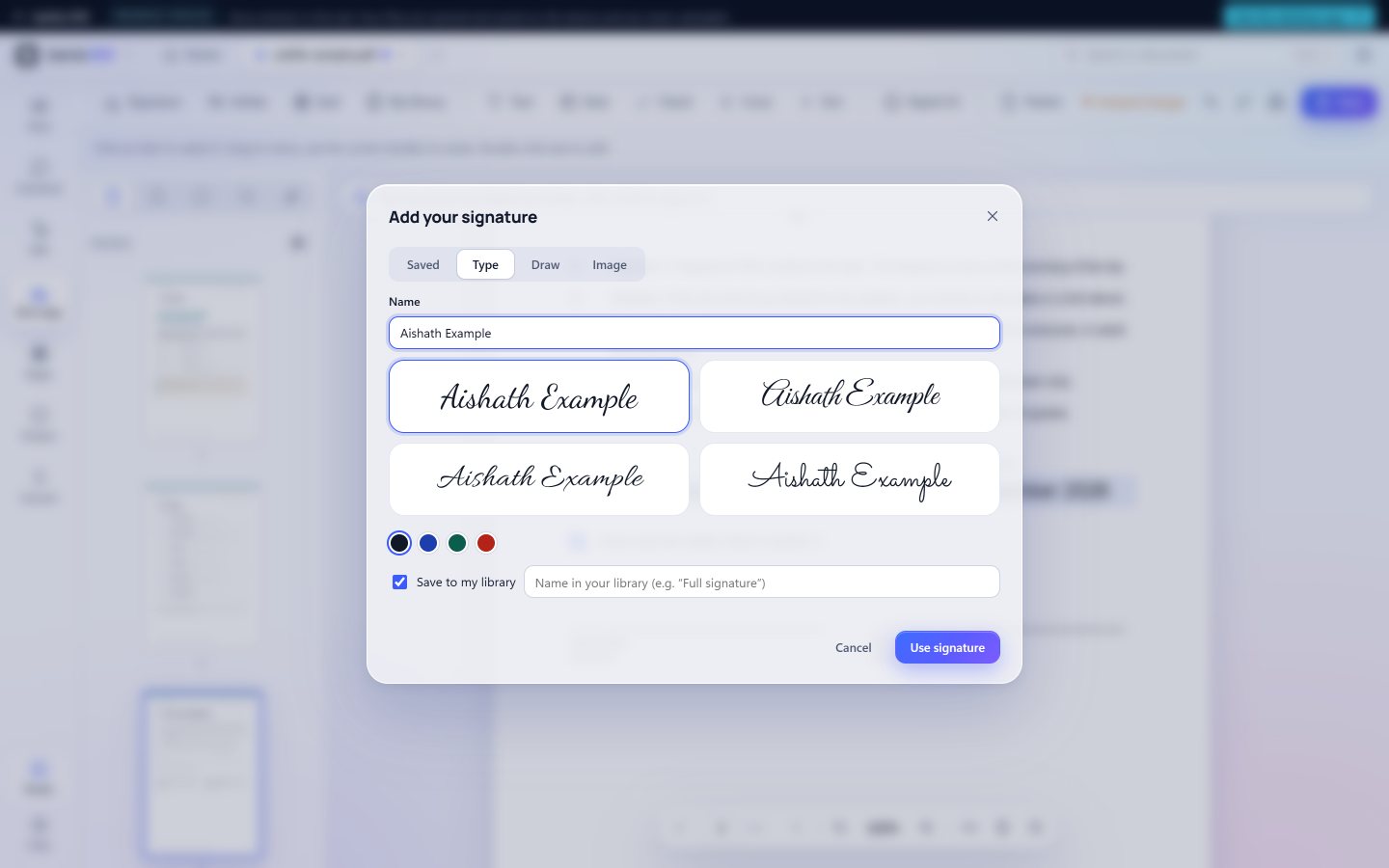
Fill in PDF forms. Sign or initial by typing your name in one of four handwriting styles, drawing it, or using a photo of your signature. Add ticks, crosses, dots and dates, then flatten the result.
-
05Signatures and seals
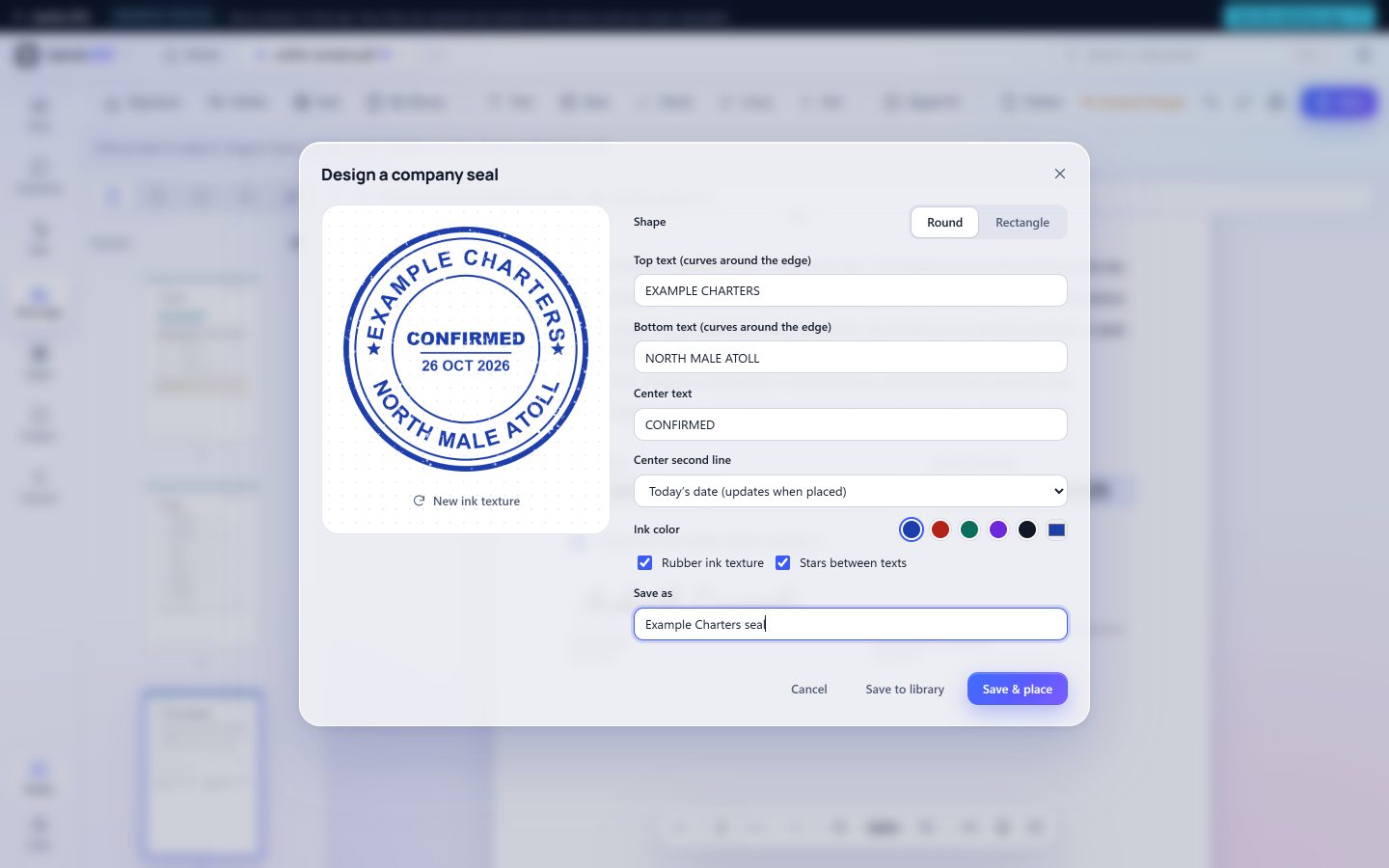
Keep your signatures, initials, company seals and text stamps in one library and place them with one click. Design a round or rectangular seal with curved text, today's date and a rubber-ink texture, or use a photo of your real stamp with the paper taken out. In the desktop app the library is encrypted on your computer and can be locked with a PIN.
-
06Organize pages
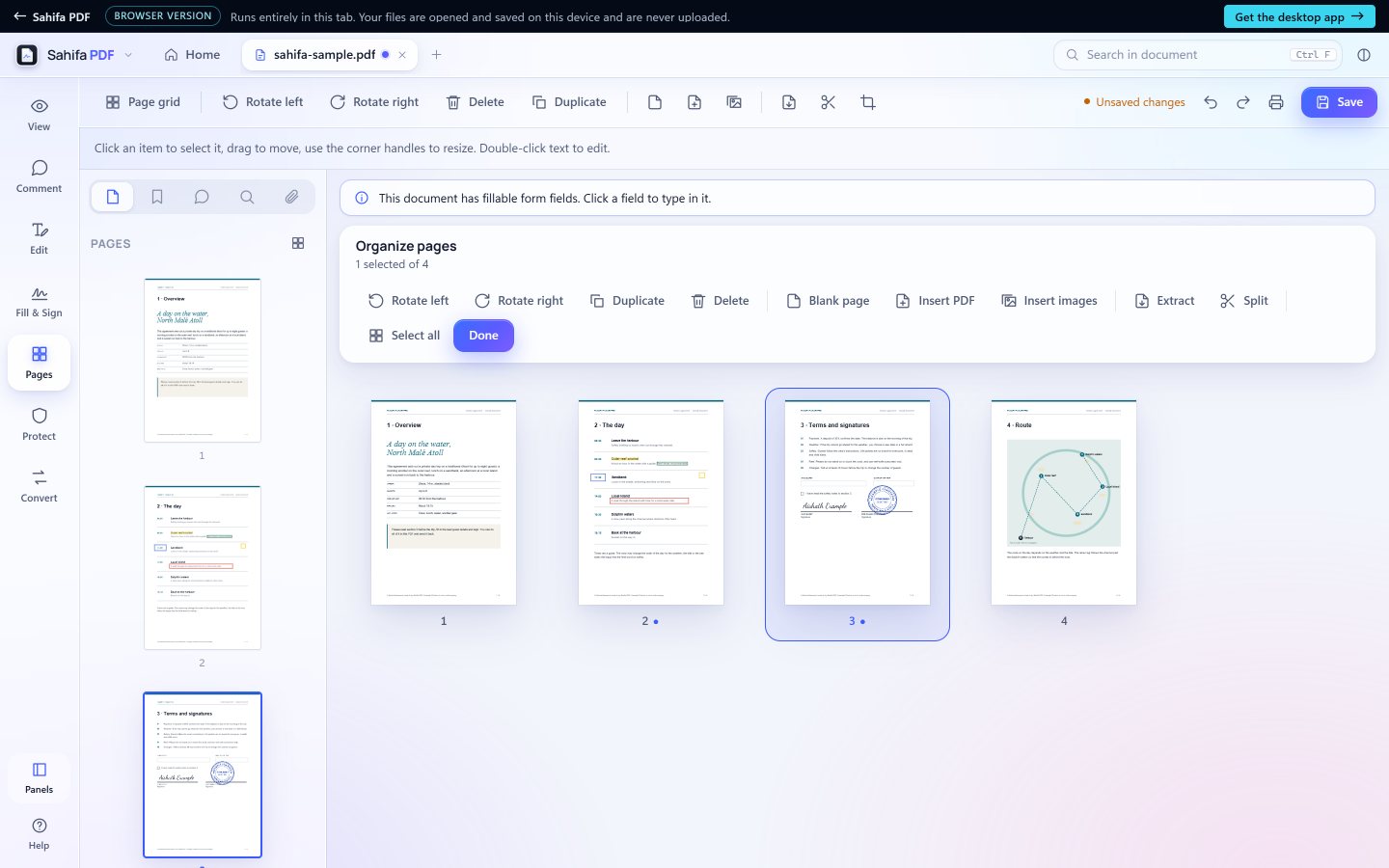
See every page at once and drag pages into a new order. Rotate, delete and duplicate pages, insert blank pages, other PDFs or images, and extract or split a document into several files.
-
07Protect
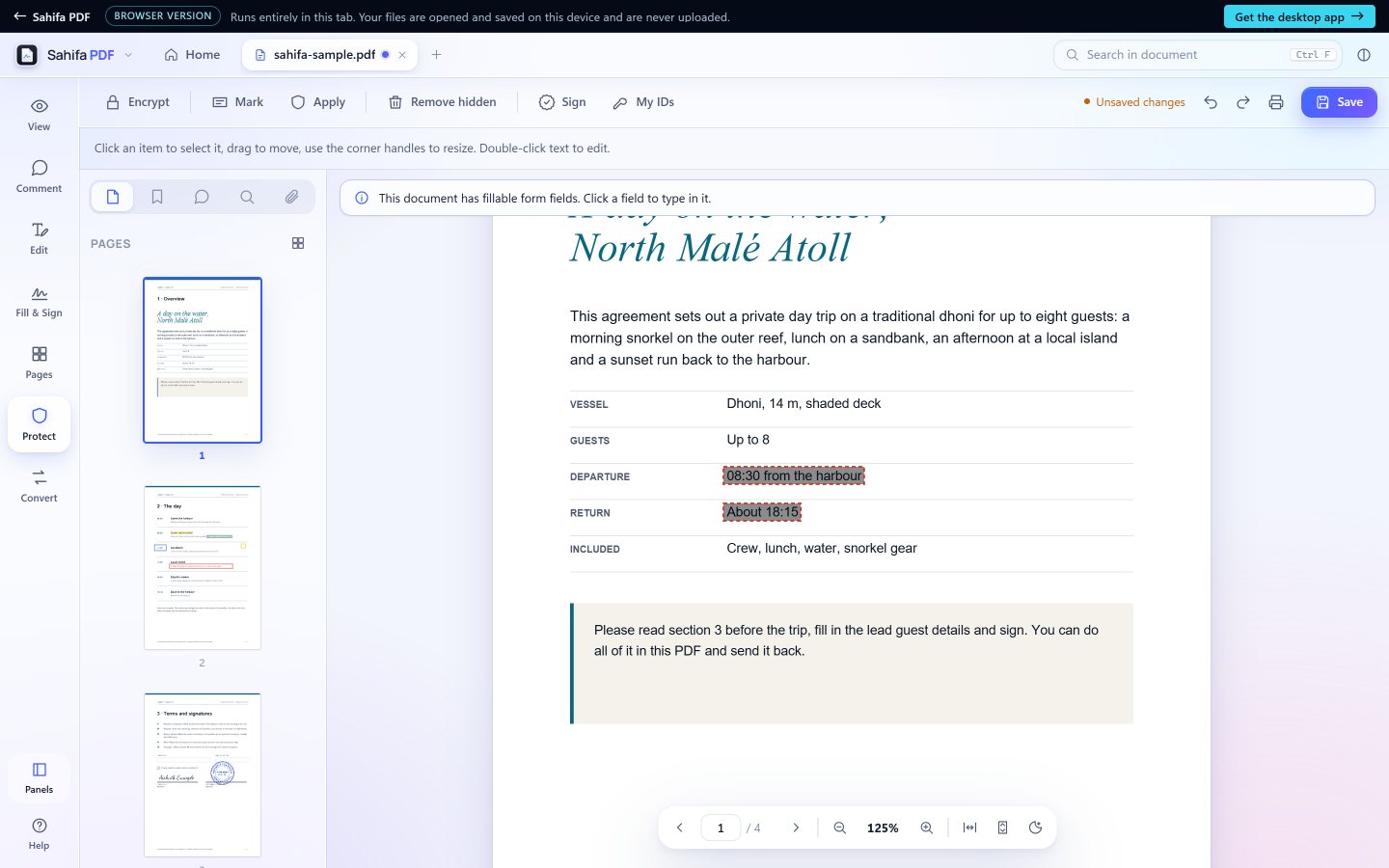
Lock a file with a password (AES-256). Redact for real: what you mark is removed from the file, not just covered, because the marked pages are rebuilt as images. Remove hidden information such as metadata, scripts and attachments.
-
08Compress
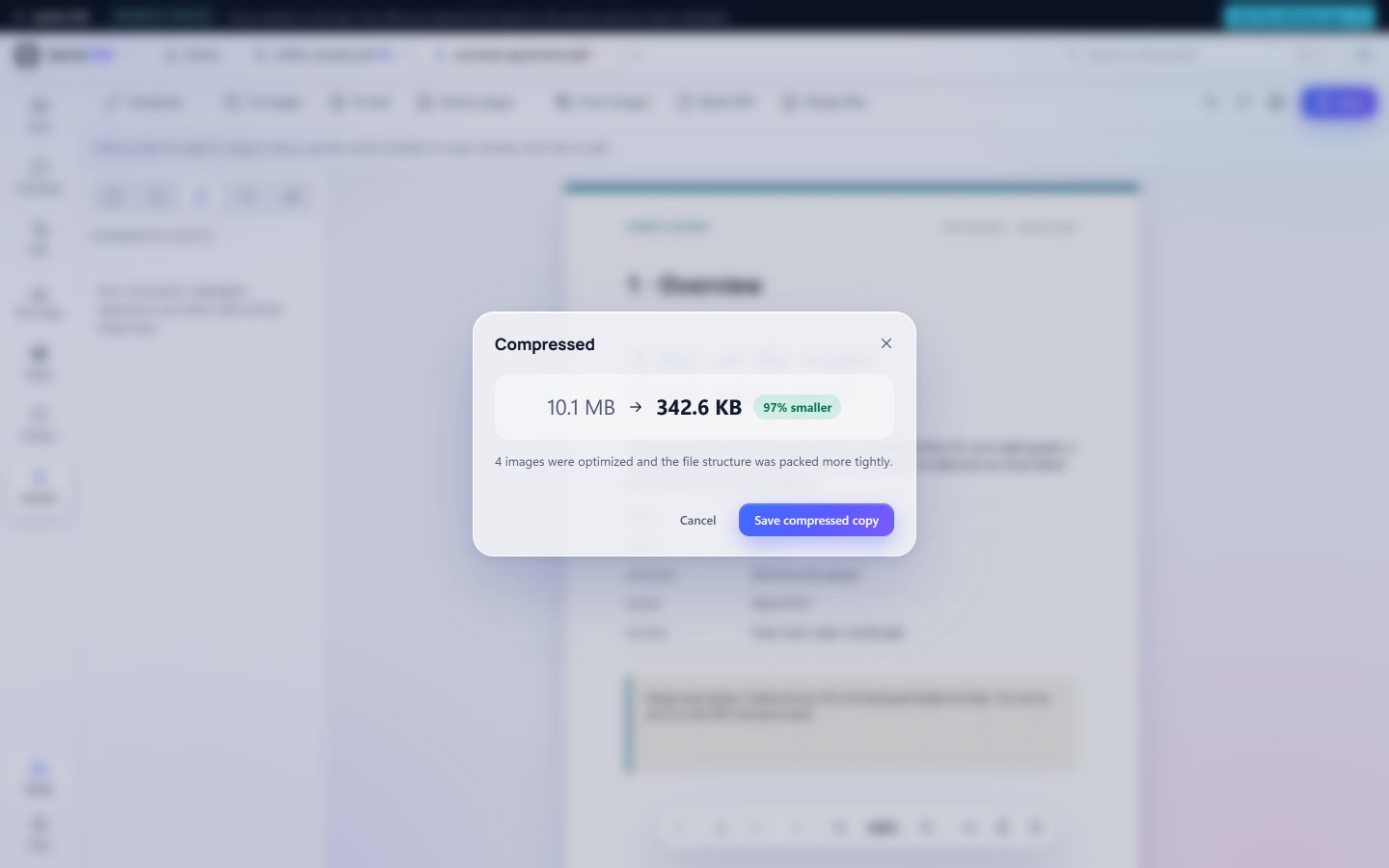
Scanned documents and photos make PDFs huge. Compress makes them small enough for email and upload forms, often 70 to 90% smaller, with three levels to choose from. Text stays sharp and selectable, and your original file is never changed: you save a compressed copy and see exactly how much smaller it is.
-
09Convert
Save pages as PNG or JPEG images at up to 300 dpi, or the text as a plain text file. Make a new PDF from images or a blank page, and merge several files into one.


02 · Privacy
Your files never leave your computer.
Offline by design
The desktop app needs no internet connection to read or change a PDF. There is nothing to sign in to and no subscription.
Nothing is uploaded
In the browser version, your PDF opens from your device straight into the page, and saving hands the new file back as a download. The page sends no document anywhere: you can watch your browser's network panel to check.
No tracking
No analytics, no ads and no account, in the app or on this site.
03 · Two ways to use it
The desktop app, or this browser.
The browser version is the same app, running inside the page. It is the quickest way to try Sahifa; the desktop app for Windows and Mac adds what a browser cannot do.
| Feature | Desktop app | In your browser |
|---|---|---|
| Read, comment, edit, organize, protect, compress and convert | Yes | Yes |
| Fill forms; typed, drawn and image signatures | Yes | Yes |
| Certificate signatures with a digital ID (.pfx, .p12) | Yes | Desktop app only |
| Signatures, seals and stamps library | Encrypted on your computer, with an optional PIN lock | Kept in this browser, without a PIN lock |
| Opening files | Open dialog, recent files, drag and drop, or make Sahifa your default PDF app | Open button, or drag and drop onto the page |
| Saving | Save in place, or Save As | Saves a copy as a download |
| Install | Windows installer or portable app; ZIP for Mac | Nothing to install |
Works best on a laptop or desktop screen.
04 · Download
Get it for Windows or Mac.
Sahifa PDF 1.3.0
Windows installer · Windows 10 and 11, 64-bit (x64)
Recommended. A standard setup wizard that installs Sahifa PDF on your PC.
- File
- Sahifa-PDF-Setup-1.3.0.exe
- Size
- 85 MB (85,448,887 bytes)
- SHA-256
b75e2aaa69cbddd6f4f5bfe7bcb37aa66e3b46657bd2bbf5e853639483dd8dba
Free · MIT licence · No account
Install in a minute
- 1
Download the installer
One file, 85 MB.
- 2
Run it
Open Sahifa-PDF-Setup-1.3.0.exe, accept the licence, and choose whether to install Sahifa PDF just for you or for everyone on the PC.
- 3
Open Sahifa PDF
From the Start menu (in MV Digital Tools) or the desktop shortcut. To remove it later, uninstall it like any other app in Windows Settings.
If Windows says "Windows protected your PC"
The Windows files are not code-signed yet, so Windows SmartScreen may show this message the first time you open one. Click More info, then Run anyway. Do this only for a file downloaded from this page whose SHA-256 matches the one shown here.
To check it, open PowerShell in your Downloads folder and run:Get-FileHash .\Sahifa-PDF-Setup-1.3.0.exe
Other downloads
-
Windows, portable
Windows 10 and 11, 64-bit (x64)
Runs without installing: keep the one file in any folder or on a USB stick.
- File
- Sahifa-PDF-Portable-1.3.0.exe 85 MB
- SHA-256
85cb366f0dcf3c1782e6de9c6617d974fa52744a109ce227b5526167d9344910
-
Mac with Apple silicon
macOS 11 or later
For Macs with an M-series chip (M1 or later).
- File
- Sahifa-PDF-1.3.0-arm64.zip 100 MB
- SHA-256
48238e7c095b7523f7917b577c9120f18265f344426178c5379213cacd908ee7
-
Mac with an Intel processor
macOS 11 or later
For Intel-based Macs.
- File
- Sahifa-PDF-1.3.0-x64.zip 106 MB
- SHA-256
588a77562fb7c738f96993344bb8205db132e18f18c8d07e430e6feb6416f570
On a Mac
Double-click the ZIP and drag Sahifa PDF into your Applications folder. The Mac app is not notarized by Apple, so the first time you open it macOS says it cannot check the developer. Click Done, open System Settings, then Privacy & Security, scroll down and click Open Anyway. On macOS 14 or earlier you can instead Control-click the app and choose Open. This is needed only once.
To check a download, open Terminal in your Downloads folder and run shasum -a 256 <file name>.
05 · Licence and credits
Free to use, open to read.
Sahifa PDF is released under the MIT licence: use it at home or at work, at no cost. It is built on open-source work, credited here with the licences that come with the app.
- Sahifa PDFMIT licence, © 2026 MV Digital ToolsLicence
- Electron 33.4.11The desktop shell. MIT licenceLicence
- Chromium 130The engine inside Electron, with the licences of its many open-source partsCredits
- pdf.js 3.11.174Mozilla's PDF renderer. Apache License 2.0Licence
- pdf-lib 2.11.1Writes the PDF files (the @cantoo edition). MIT licenceLicence
- FontsManrope for the interface; Dancing Script, Great Vibes, Allura and Sacramento for handwriting. SIL Open Font License 1.1Licence
Every licence that ships with the app
- @cantoo/pdf-lib2.11.1MITLICENSE
- culori4.0.2MITLICENSE LICENSE
- fflate0.8.3MITLICENSE
- @fontsource/allura5.3.0OFL-1.1LICENSE
- @fontsource/dancing-script5.3.0OFL-1.1LICENSE
- @fontsource/great-vibes5.3.0OFL-1.1LICENSE
- @fontsource/manrope5.3.0OFL-1.1LICENSE
- @fontsource/sacramento5.3.0OFL-1.1LICENSE
- html-entities2.6.0MITLICENSE
- node-forge1.4.0(BSD-3-Clause OR GPL-2.0)LICENSE
- node-html-better-parser1.5.9MITLICENSE
- pako1.0.11(MIT AND Zlib)LICENSE
- path2d-polyfill2.0.1MITLICENSE
- pdf-lib1.17.1MITLICENSE
- @pdf-lib/standard-fonts1.0.0MITLICENSE
- @pdf-lib/upng1.0.1MITLICENSE
- pdfjs-dist3.11.174Apache-2.0LICENSE LICENSE LICENSE_FOXIT LICENSE_LIBERATION
- @signpdf/placeholder-pdf-lib3.3.0MITLICENSE
- @signpdf/signer-p123.3.0MITLICENSE
- @signpdf/signpdf3.3.0MITLICENSE
- @signpdf/utils3.3.0MITLICENSE
- tslib2.8.10BSDLICENSE